DeskGreet answers every WhatsApp message and voice note from your own information, books appointments in your Google Calendar, prepares quotes from your price list and hands the chat to your team whenever a person should step in. 24/7, in English, Spanish, Urdu and Arabic, from $49 a month.
The same fixed text to everyone who writes while you're away. Useful as a holding reply, but it can't answer a question or book anything. How to set up WhatsApp auto reply.
Buttons and flows you design in advance, one path at a time. A question you didn't plan for needs a new flow.
Understands what each customer writes or says, answers from your information, books, quotes, and passes the chat to your team when it should.
Screenshots from a demo workspace with example chats: a hair salon and a plumber. Your own dashboard looks the same, with your customers.
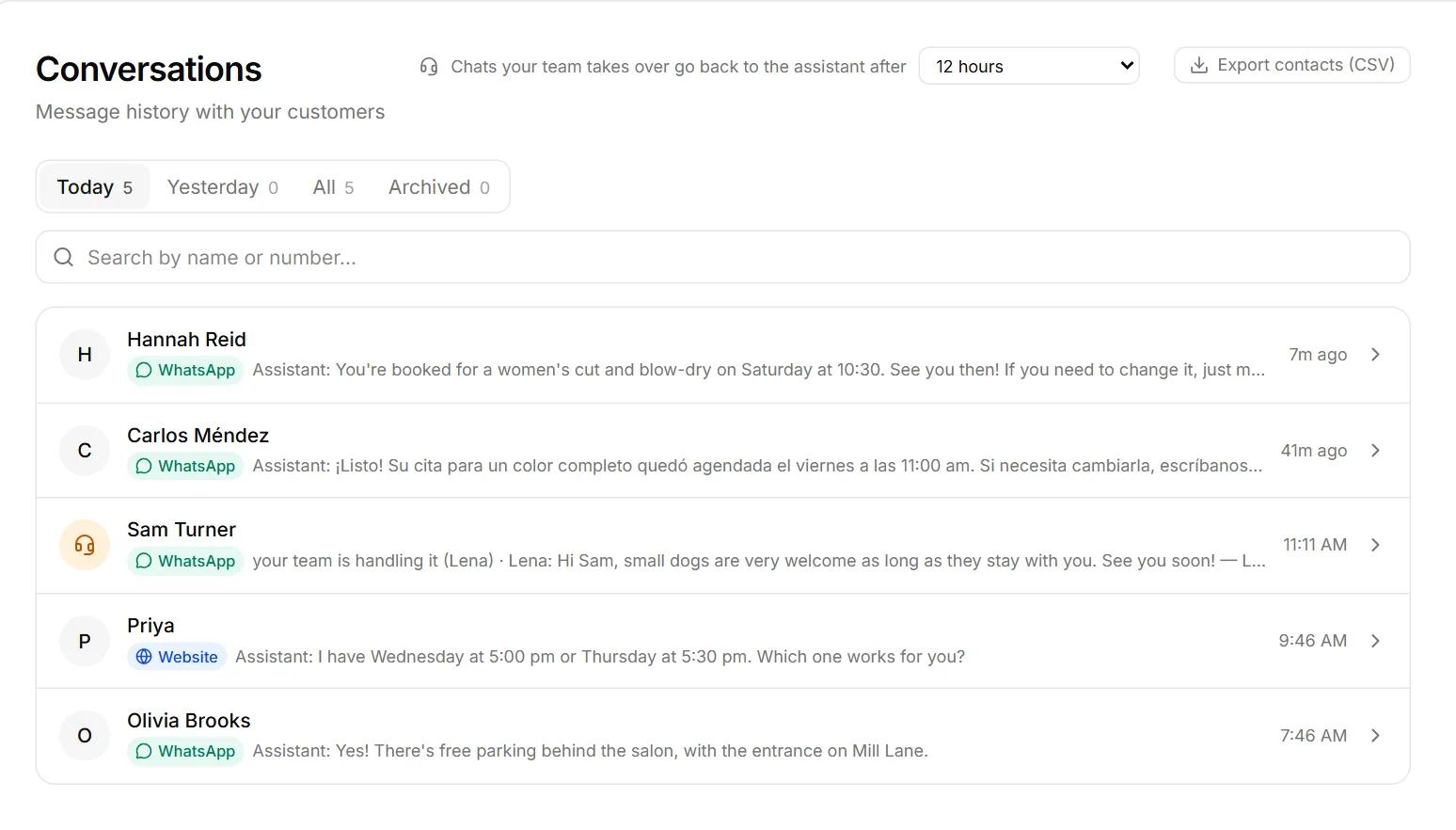
WhatsApp and website chats land in one list, newest first, with the last thing said and who said it. Tabs for today, yesterday, all and archived chats keep the day's work in front of you.
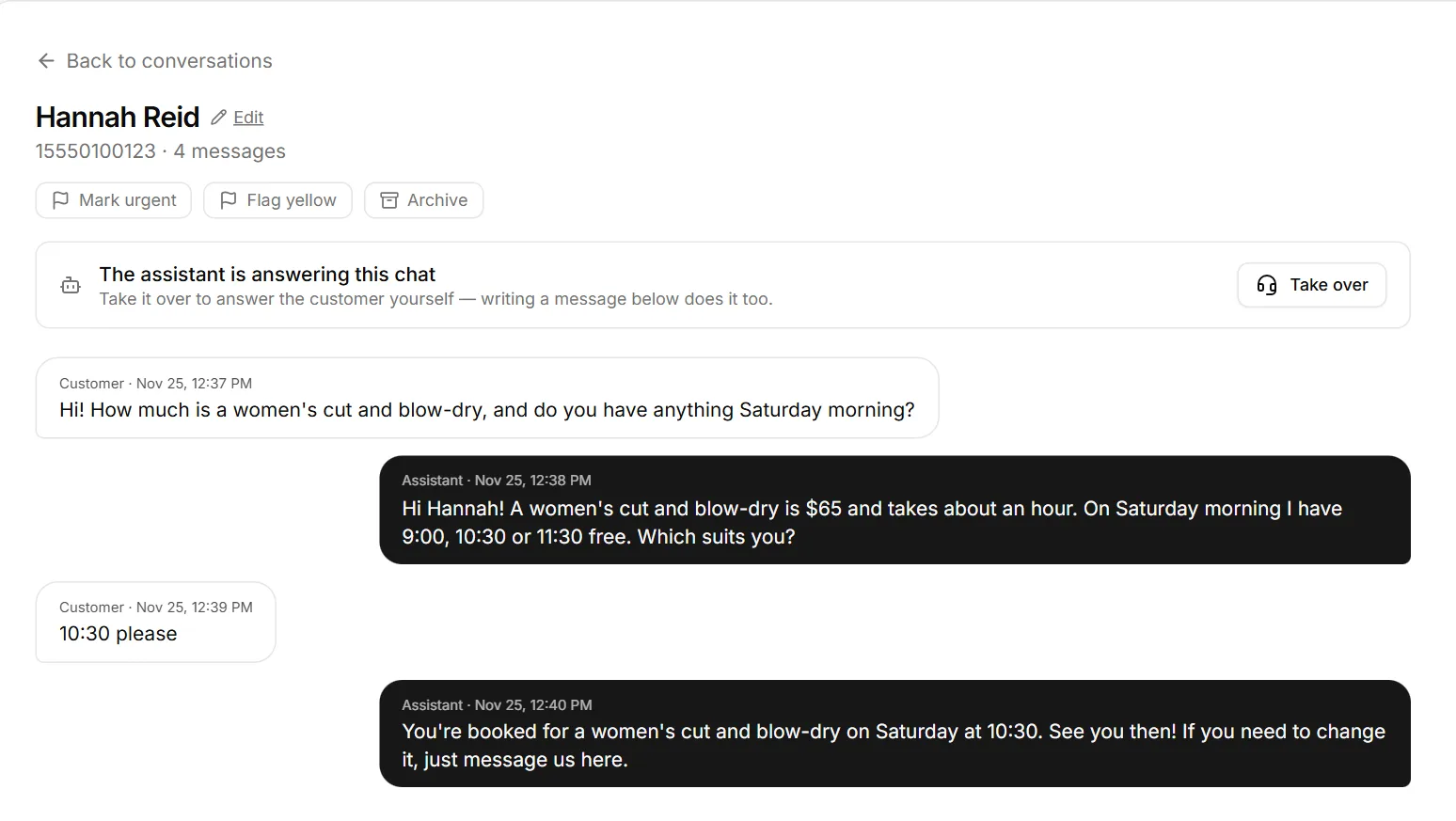
The agent answers from your own services, prices and hours, offers free times and books the appointment in your Google Calendar. The customer gets the confirmation right in the chat.
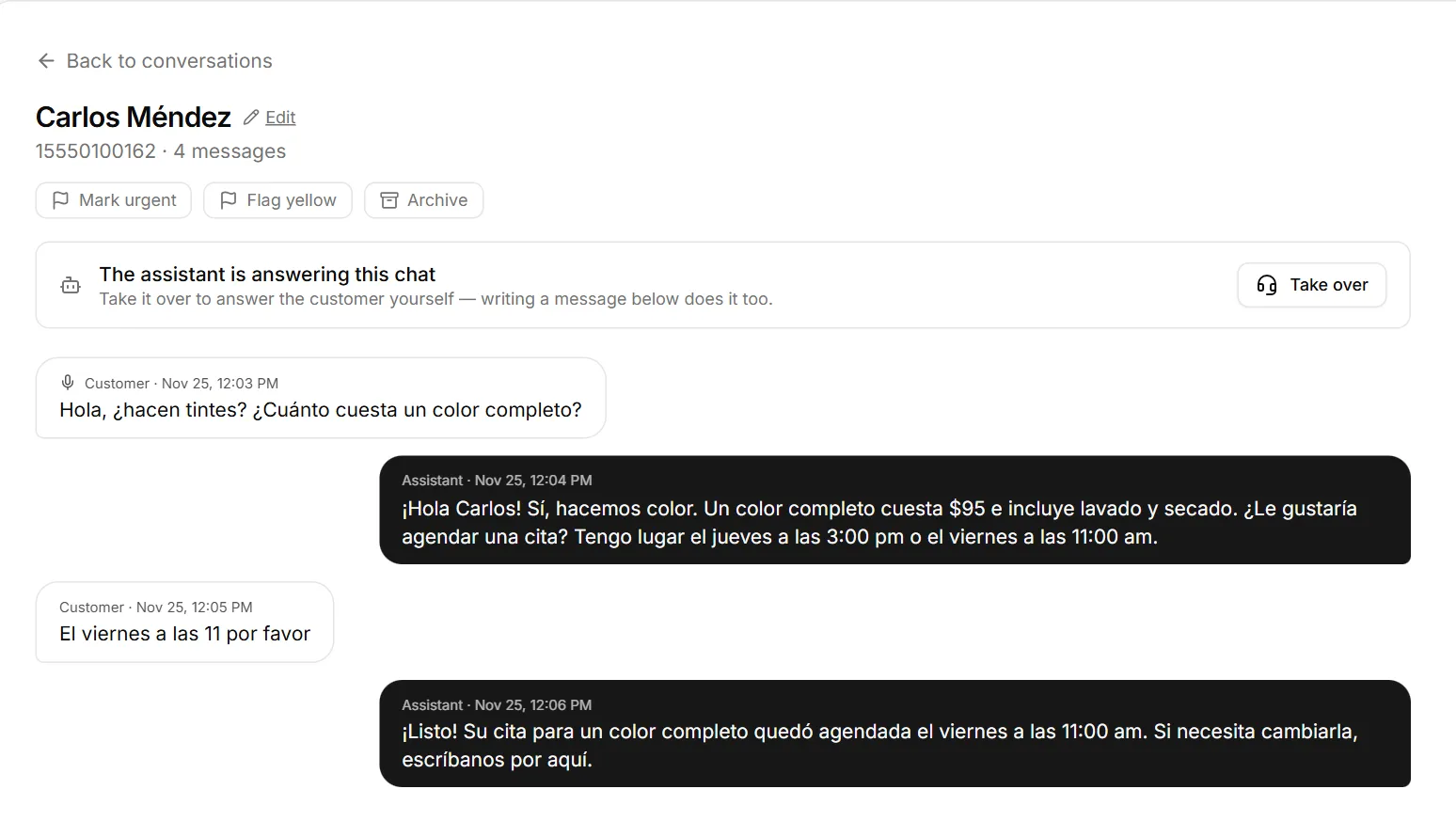
Customers send voice notes; the agent understands them and replies in the customer's language. It speaks English, Spanish, Urdu and Arabic, and switches when the customer does.
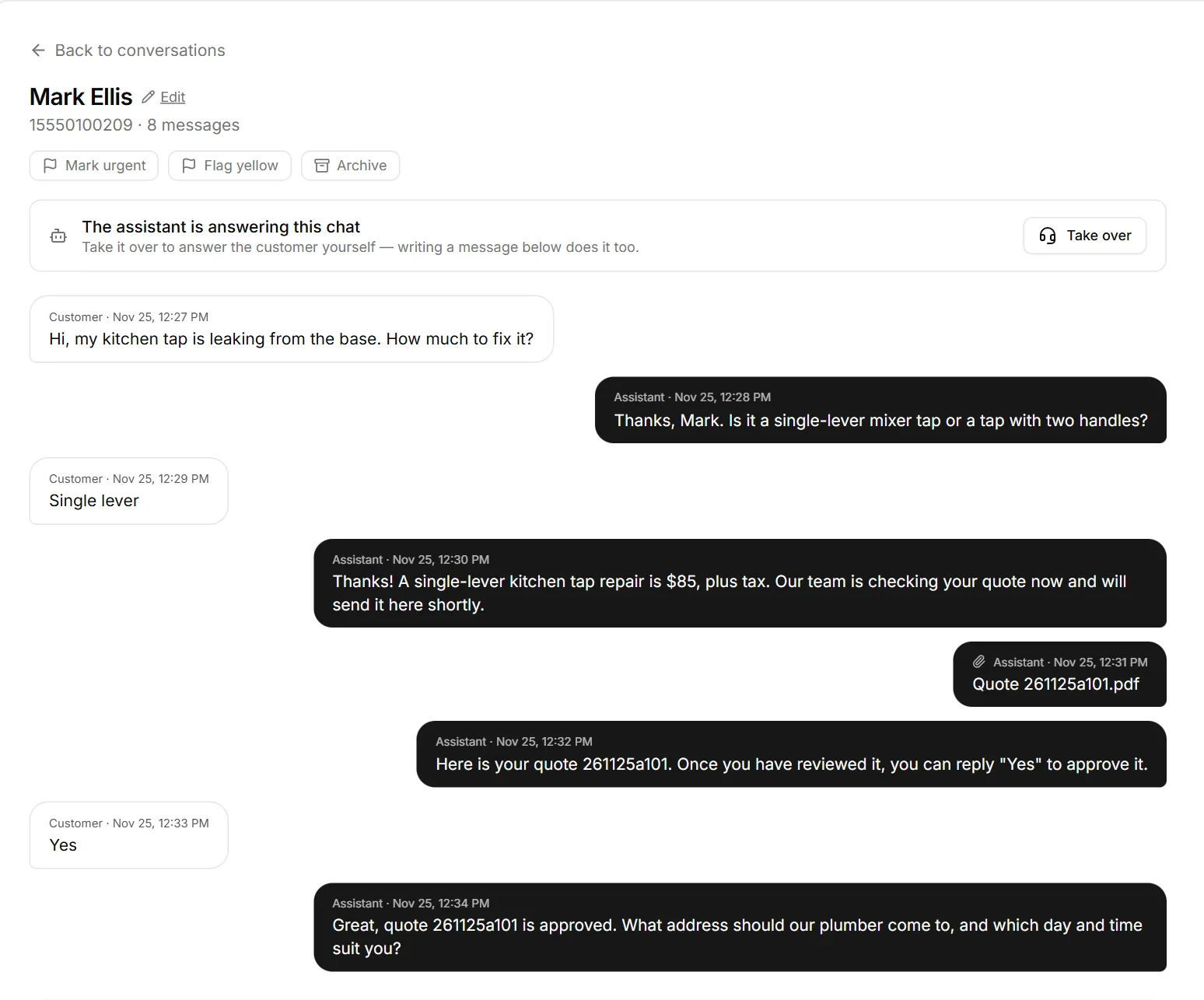
For jobs priced from a list, the agent asks only what the price depends on and prices it from your own list. Once your team approves it, the quote arrives in the chat as a PDF, and the customer replies "Yes" to accept.
Click Take over and answer the customer yourself; the agent pauses in that chat. Click Hand back to the assistant when you're done, or let it take the chat back after the time you set.
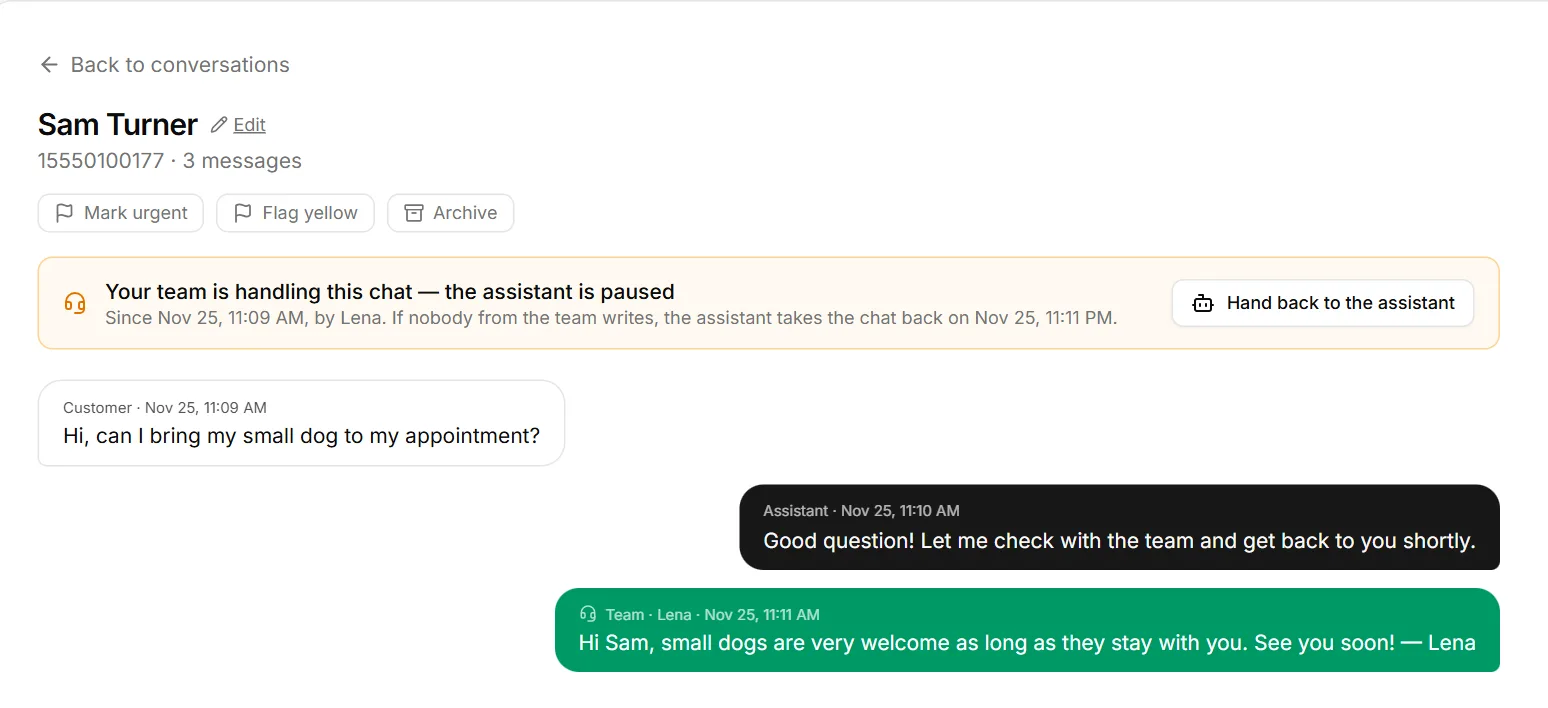
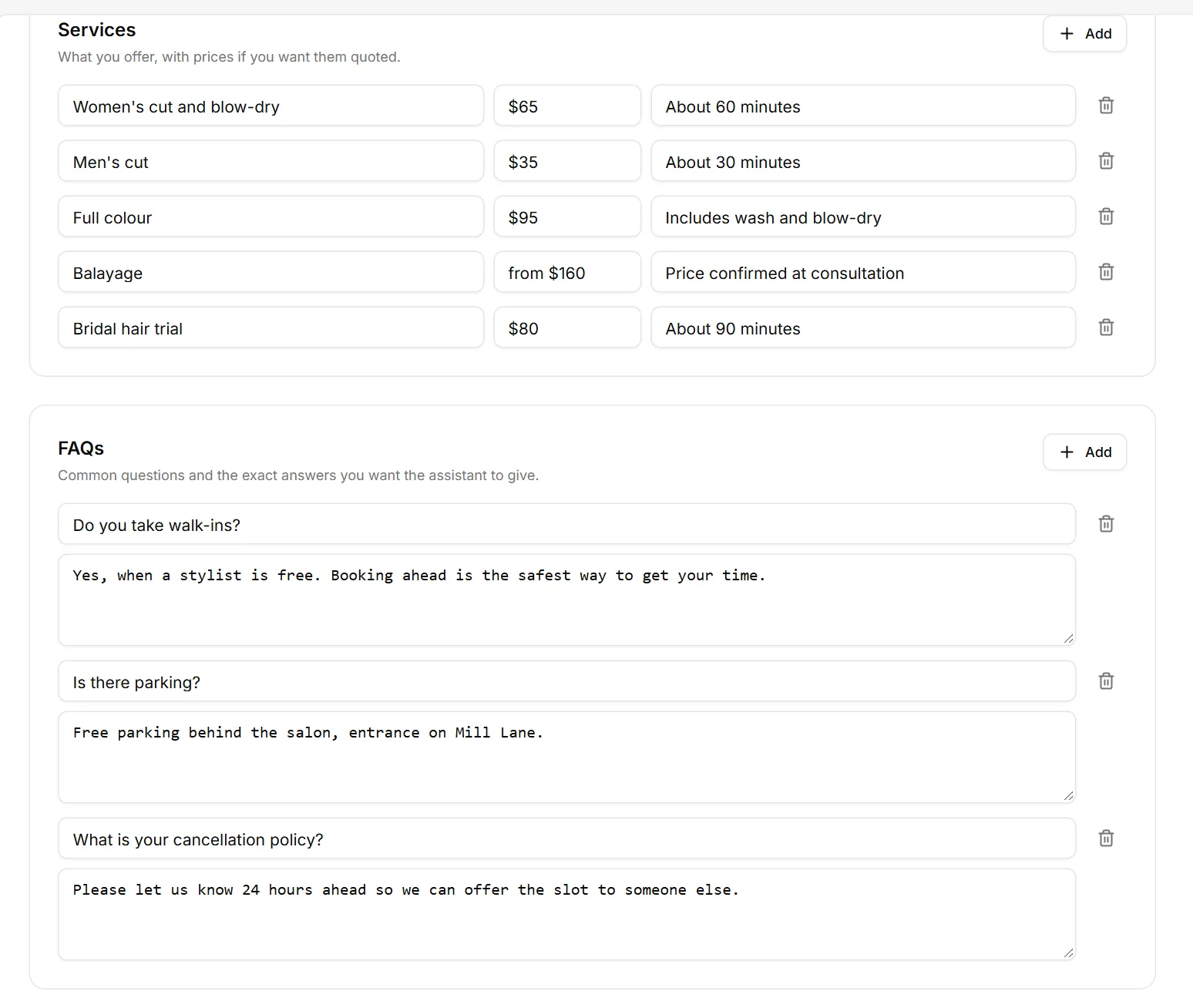
Your services, prices, hours and FAQs, in your own words, on the Knowledge page. The agent answers from them, and questions it can't answer go to your team's review queue.
Demo data: invented businesses, customers and numbers.
15 days with $10 in credit, no card needed.
Services, prices, hours and FAQs, in your own words.
From the Numbers page: move your number to DeskGreet, or keep using the WhatsApp Business app too. How to connect.
$49 a month with 60 minutes and 1,000 replies included; WhatsApp's own message fees are included. The same agent can also answer your phone calls and your website chat. Full pricing · WhatsApp AI receptionist.
An AI agent that answers your business's WhatsApp for you. Unlike a fixed auto reply, it understands what each customer writes or says in a voice note, answers from your own information, books appointments, prepares quotes and hands the chat to your team when a person should step in.
It does a WhatsApp chatbot's job without the menus. There are no flows to build: the AI agent reads what each customer writes or says, answers from your information, books appointments, prepares quotes and hands the chat to your team when a person should step in.
Yes. The agent offers free times, books the appointment in your Google Calendar and confirms it in the same WhatsApp chat.
Start the free trial, add your services, hours and FAQs in the dashboard, then connect your WhatsApp Business number from the Numbers page: move it to DeskGreet, or keep using the WhatsApp Business app on your phone too. Once it shows Connected, the AI agent replies to every message.
Yes. DeskGreet understands the voice note and replies in the customer's language, in text or with a voice note of its own.
Yes. It asks only what the price depends on and prices the job from your own price list. Once your team approves it, the quote arrives in the chat as a PDF, and the customer replies "Yes" to accept it.
Yes. Every chat is in the DeskGreet dashboard, and you or your team can take one over and hand it back. If you kept the WhatsApp Business app, your team can also answer from the phone.
15 days free with $10 in credit, no card. Answers in English, Spanish, Urdu and Arabic.
